Maj
My application journal, a full-stack job application tracker built to solve a real problem during my own job search.
- Next.js
- TypeScript
- Supabase
- Tailwind CSS
- Recharts
- Role
- Developer & Designer
- Timeline
- Spring 2026
- Type
- Personal project
Problem
I'm currently looking for my first job after graduating, and I needed a way to keep track of where I had applied.
Spreadsheets worked but felt clunky. I decided to build something purpose-built, and use it as an opportunity to learn Next.js App Router and Supabase in a real project with auth, a database, and full CRUD.
The result is a fully responsive full-stack app, testable via a live demo account.
Data model
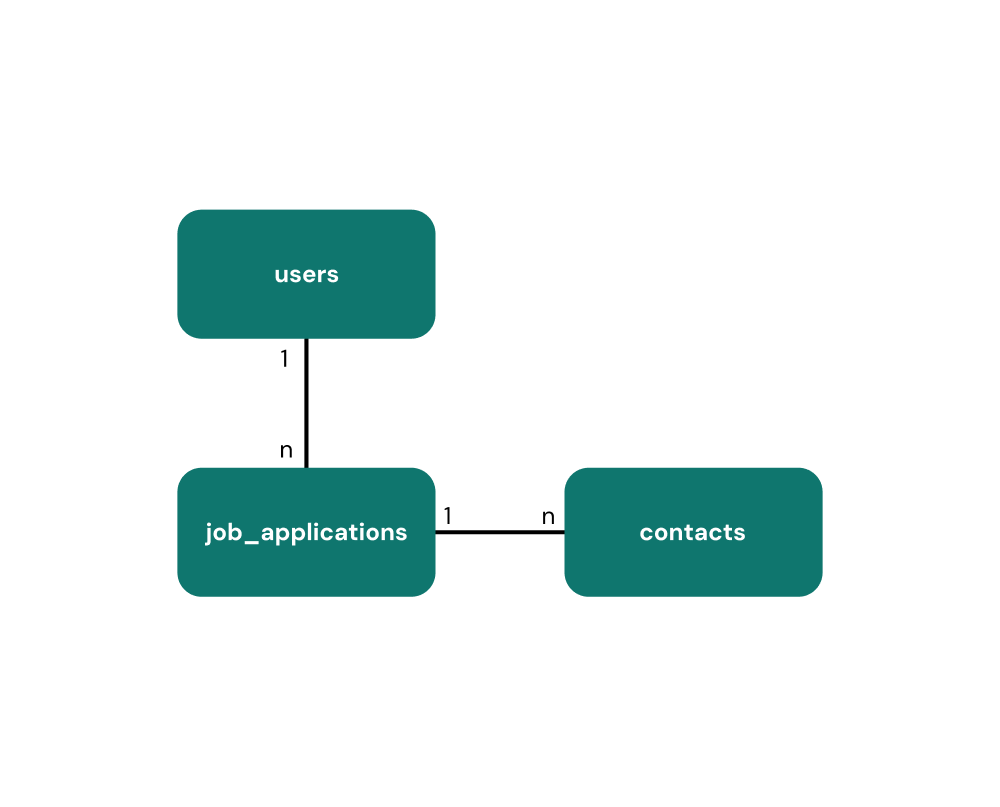
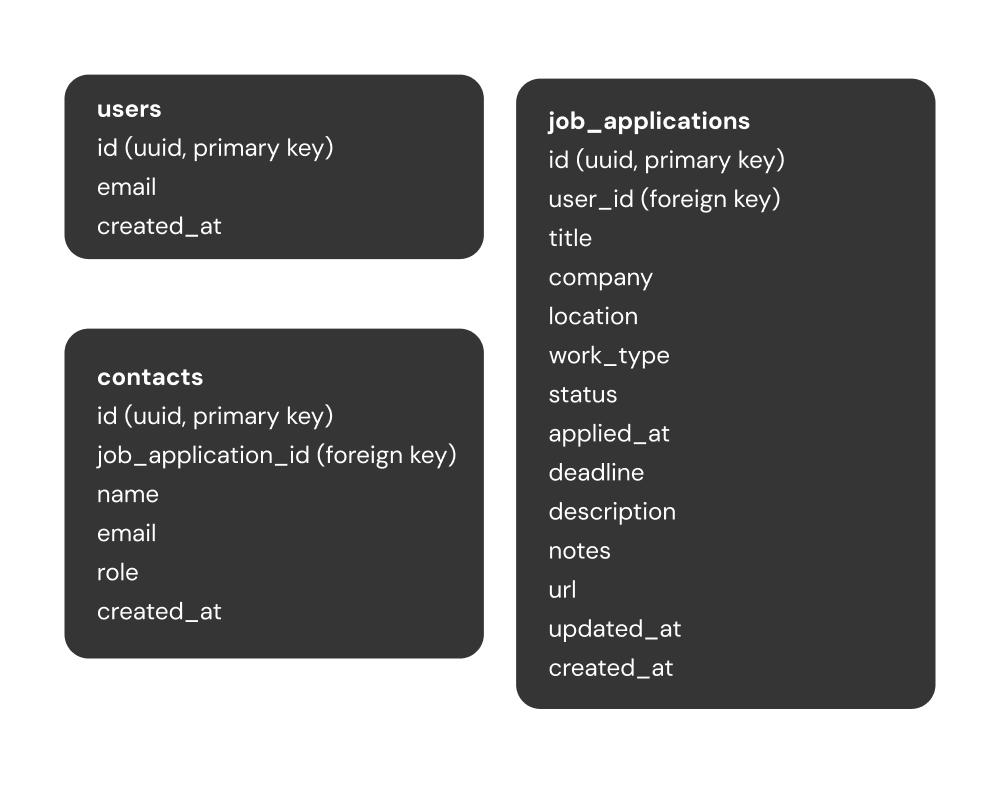
The database has three tables, users, job_applications and contacts. Each application belongs to a user, and each contact belongs to an application.
Application list
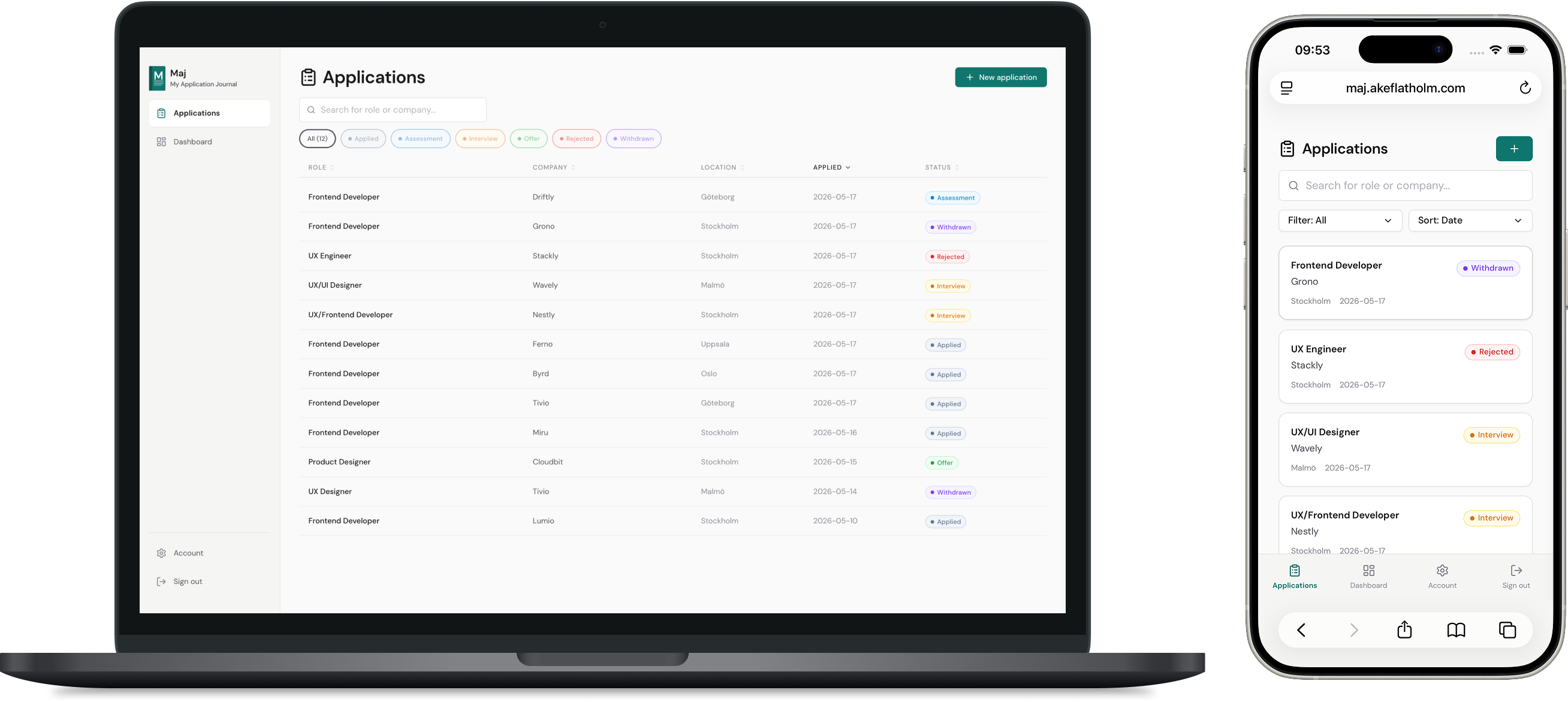
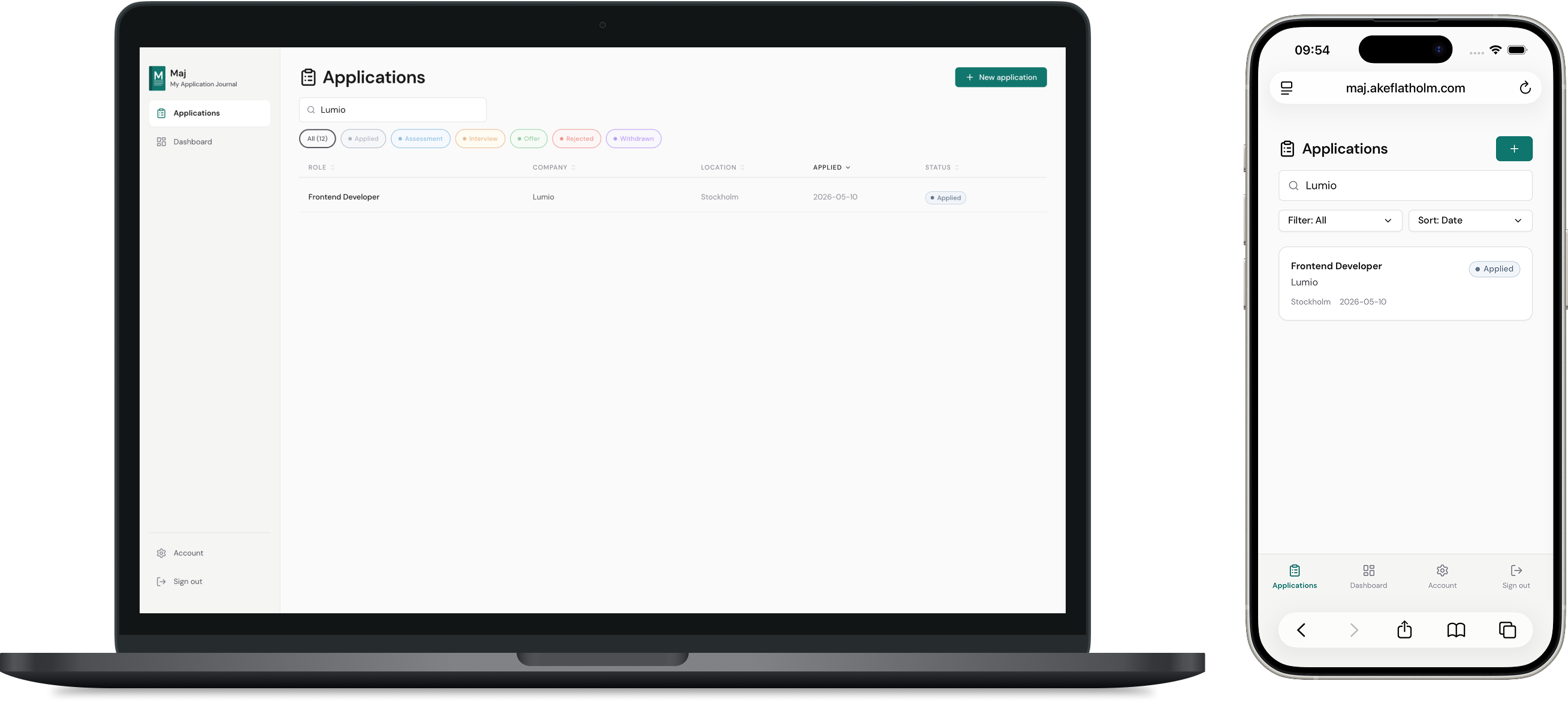
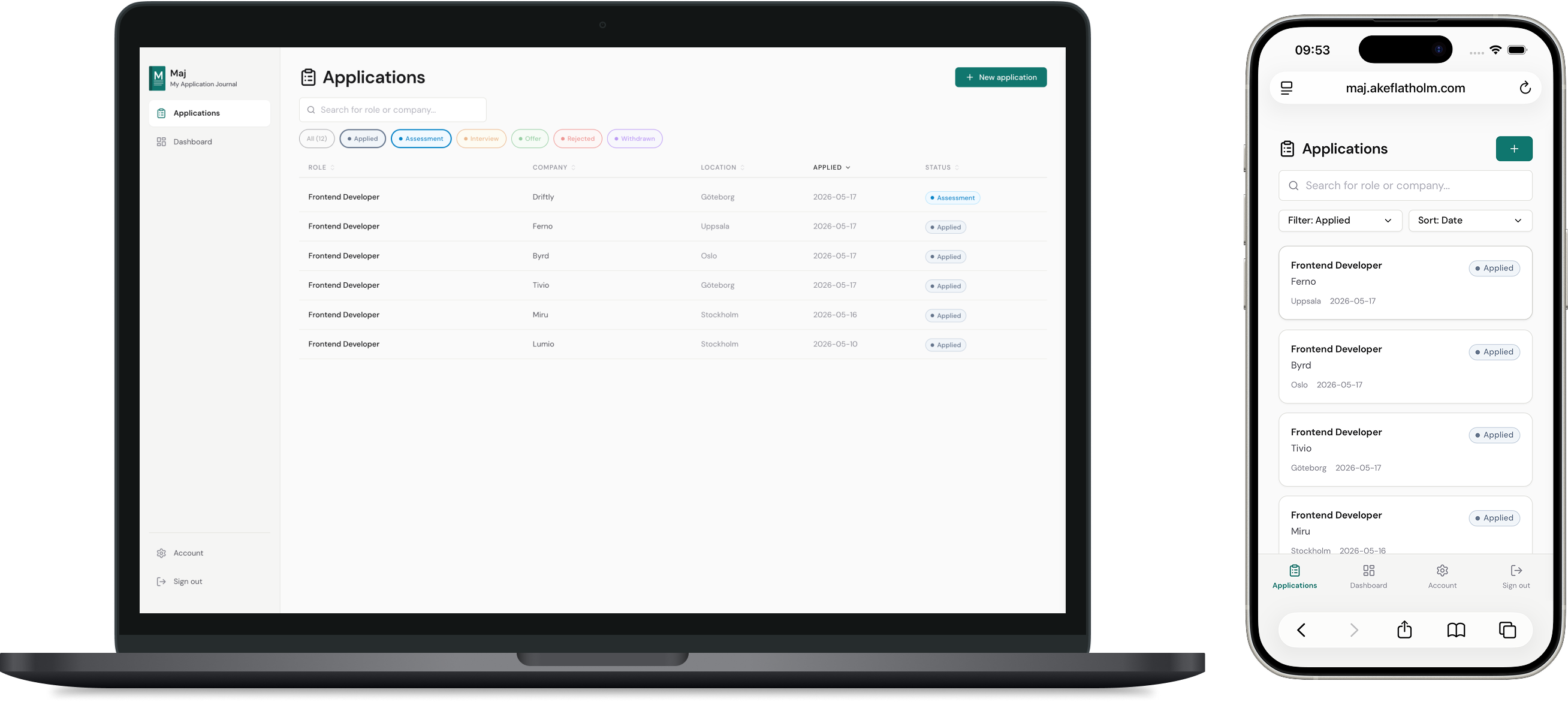
The list lets you sort by any column, filter by one or more statuses, and search by role or company. Clicking a row opens the full detail view.
Multi-status filtering lets you hide statuses you don't want to see and stay focused on applications that are still active. For a lot of people, a growing list of rejections might create anxiety. Keeping them out of view is a small thing that might make the process feel more manageable.
Adding and editing applications
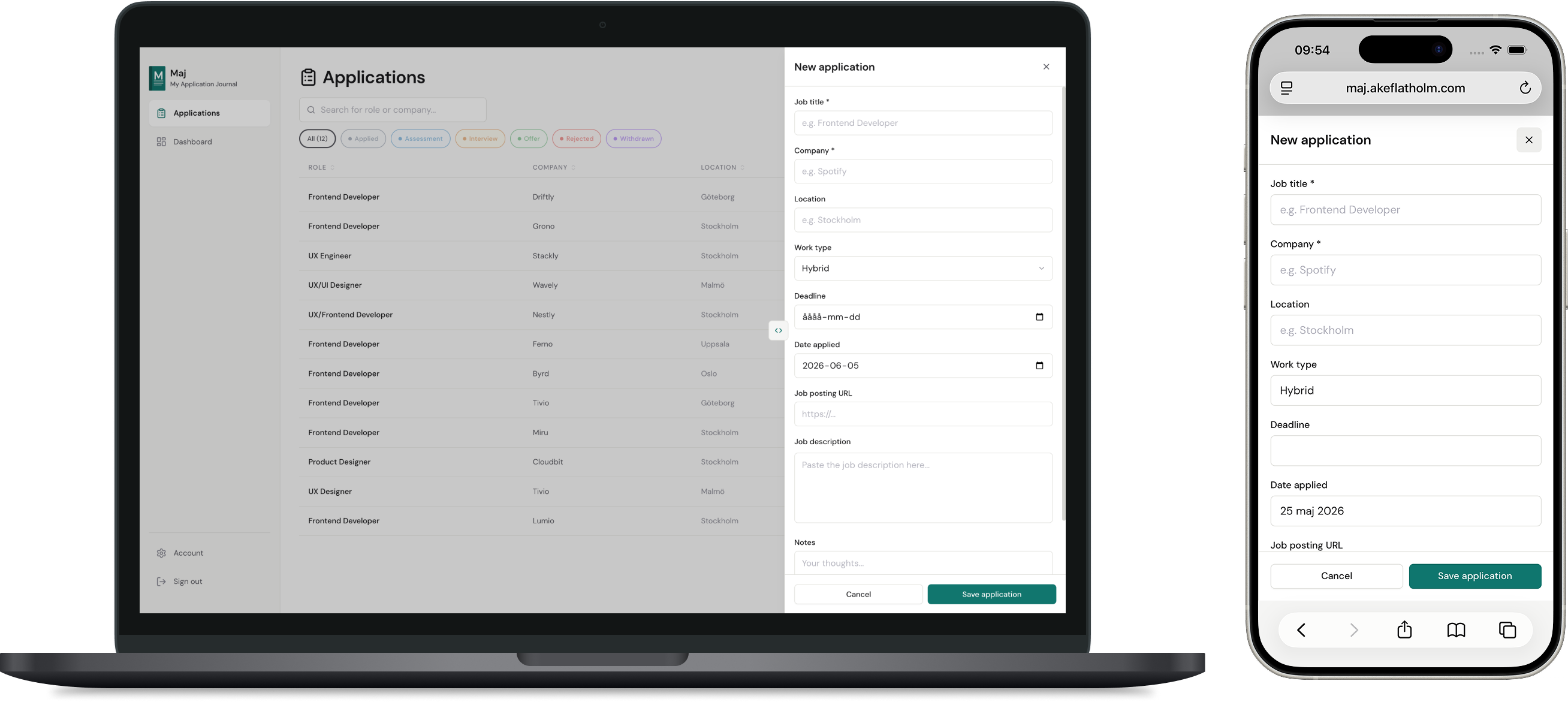
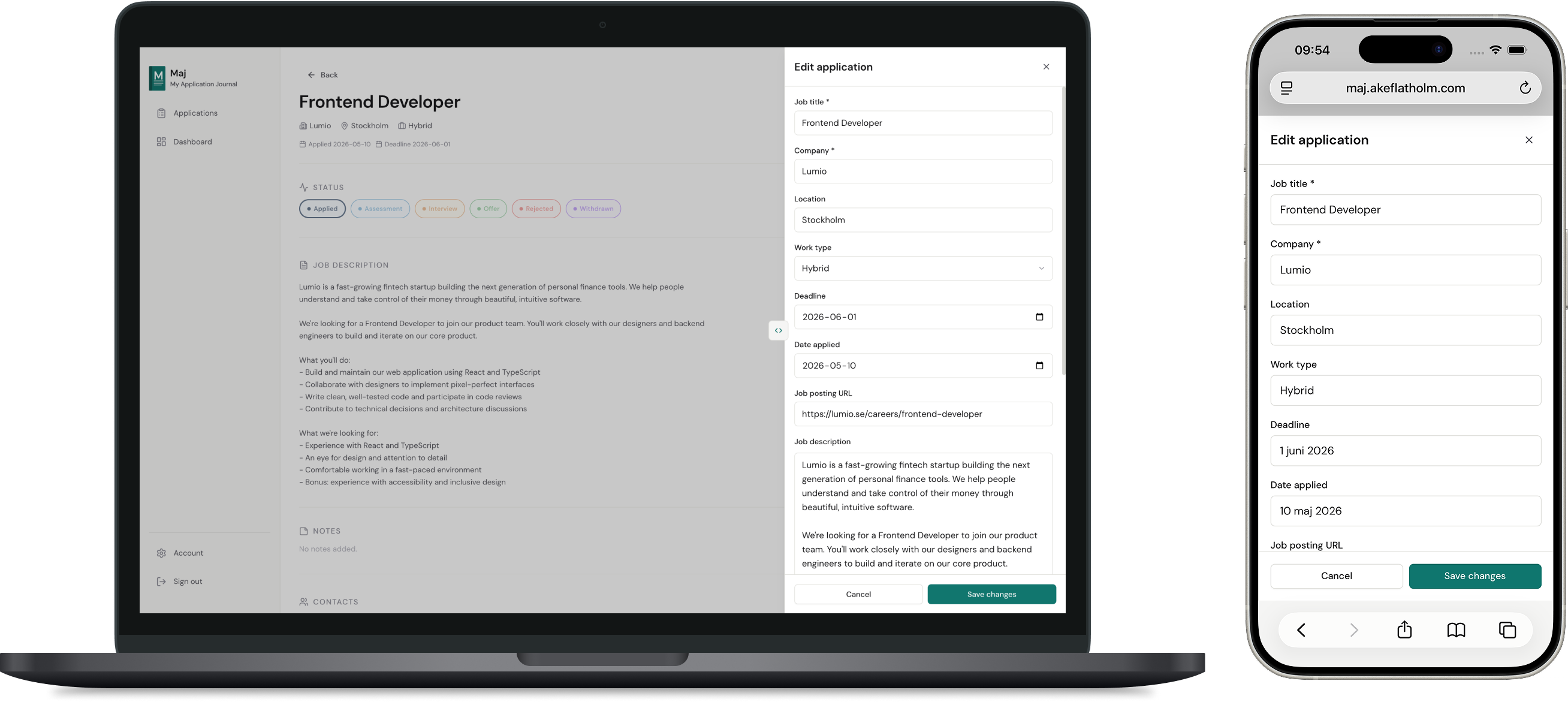
Instead of navigating to a separate page, a slide-in drawer keeps the user in context. Opening a new page breaks the scanning flow, so editing happens inline without interrupting the overview.
The same drawer handles both create and edit. On desktop it is resizable, useful when editing longer job descriptions or notes where more space helps.
Detail view
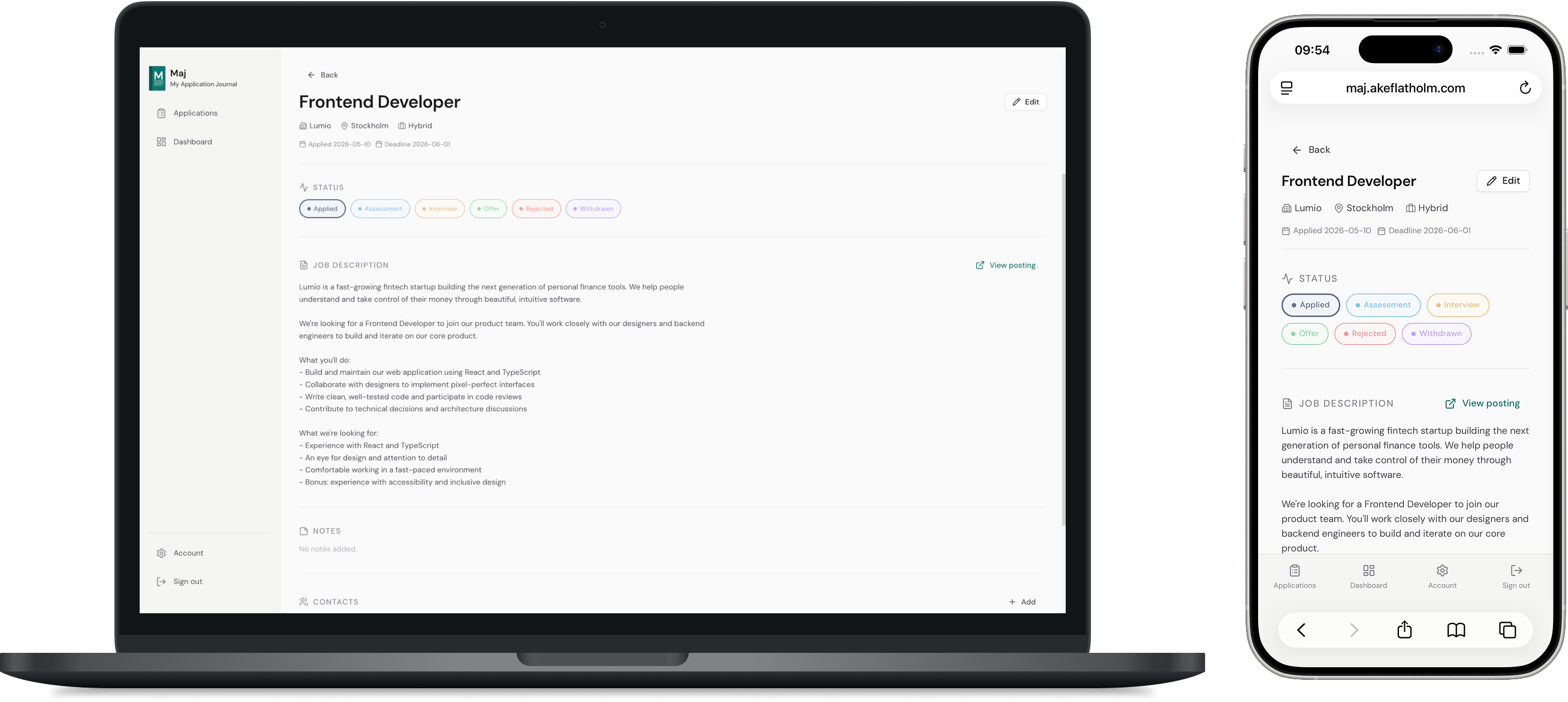
Each application has a detail page with the full job description, notes, contacts and inline status updates.
Status can be changed directly on the detail page, or via a popover by clicking the status badge in the list. Either way, no navigation required. Status updates happen frequently, especially early in a search, and removing that friction keeps the workflow fast.
Dashboard
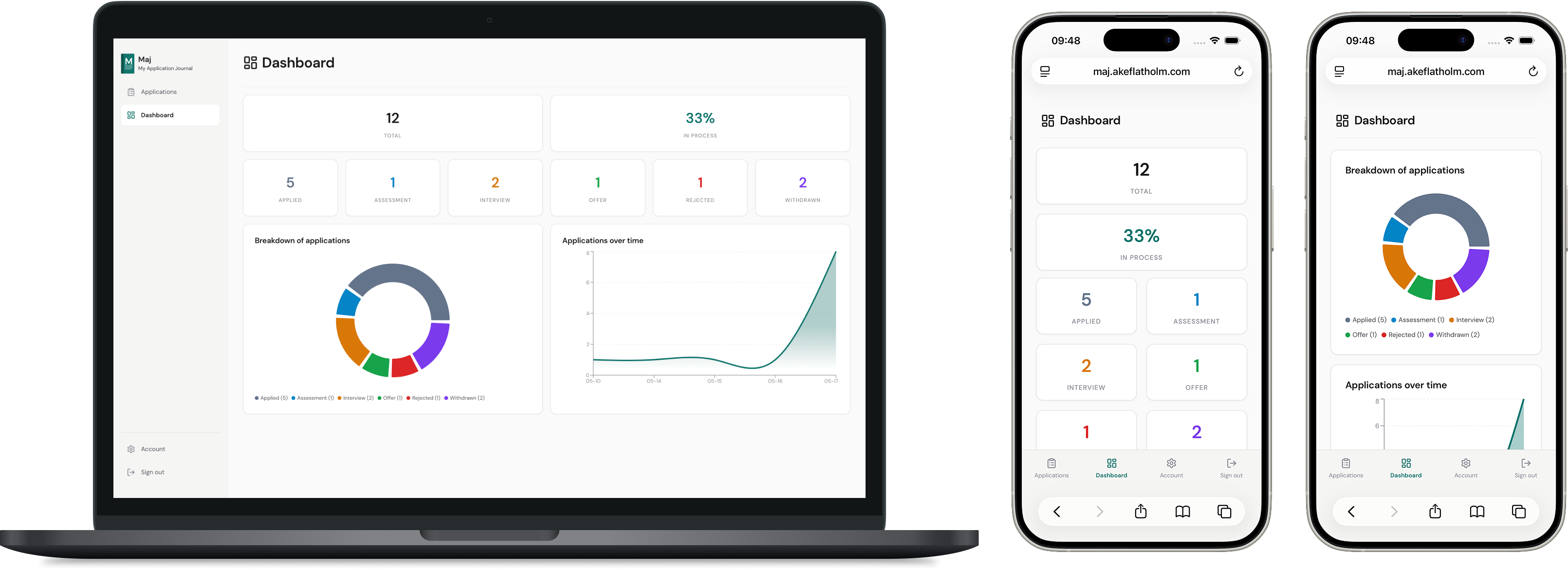
The dashboard gives a quick overview without having to scan the list. You can see how your applications are distributed across statuses and how your activity has trended over time. The in-process rate shows what percentage of applications are currently past the initial applied stage and not yet rejected or withdrawn, a quick way to see how many are still in play. Right now it is display only, but a next step would be making each stat card clickable to filter the list by status or in-process rate.
Technical decisions
Server components fetch data, client components handle interactivity.
Page-level data fetching happens in server components, no loading states, and no useEffect for initial data. Supabase Row Level Security ensures users can only access their own data server-side, even if client-side code is modified.
Optimistic updates with rollback.
Status changes update the UI immediately before the database confirms. The previous status is saved before the update, if the write fails, it's restored. This keeps the interface feeling fast without sacrificing correctness.